A practical follow-up workflow for Wix website leads
Manage Wix website leads with a practical follow-up workflow for ownership, useful first replies, notes, next actions and clear outcomes.
Original AI-generated conceptual illustration, not a product screenshot.
Turn a notification into an owned action
A form notification tells you that somebody made contact. It does not tell you whether someone has read the request, whether a reply was sent or what needs to happen next. Those decisions need a shared process.
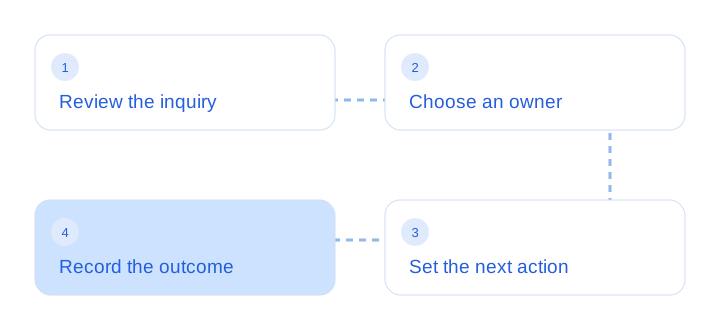
Start by defining where new inquiries are reviewed and who is responsible for checking them. If several people receive notifications, name a primary owner and a backup. This can be a simple team agreement; do not depend on an automatic assignment feature unless your tool actually supports it.
Leadya’s published workflow includes reviewing leads, keeping notes and setting tasks. Explore the Leadya feature overview and confirm how those tools work in your account. The process below can also help you evaluate any lead system for a Wix site.
Make the first reply relevant
Use the context the visitor already provided. A person who described a project should not have to repeat the entire request in the first conversation. Acknowledge the subject, explain the next step and ask only for information that you need to move forward.
For example, a useful response to a quote inquiry might confirm the requested service, clarify one missing requirement and offer the next action. A general acknowledgment can reassure the visitor that the form arrived, but it is different from a substantive reply.
Set an internal response target that your team can meet. If you publish a response commitment, allow for business hours, holidays and coverage. Avoid promising an instant human reply when that is not how your operation works.
Missing context can be a form-design problem. If the same clarification is needed repeatedly, review your Wix lead capture fields rather than adding a longer email template.
Use a small follow-up checklist
| Moment | Action | Record to keep |
|---|---|---|
| New inquiry | Review the request and confirm who owns it. | A useful summary and the responsible person. |
| First reply | Answer the actual question and explain the next step. | What was discussed and what the visitor needs next. |
| Waiting for information | Agree a sensible follow-up date. | The missing detail and the planned next action. |
| Active opportunity | Prepare the relevant proposal, call or service discussion. | The current context and outstanding decision. |
| Closed inquiry | Record the outcome using agreed definitions. | Won, lost, unsuitable, duplicate or another clear reason. |
These are example process stages, not a claim that every stage exists as a built-in Leadya status. Use supported notes and task tools, or your team’s agreed method, to make the next action visible.
Keep the checklist short enough to use consistently. A system with dozens of statuses can become less useful if team members interpret them differently. Define each outcome in plain language and review ambiguous cases together.
Keep notes useful and proportionate
A useful lead note captures context another authorized team member would need: the service discussed, an agreed requirement, the next action or an outcome. Avoid keeping unrelated personal information or copying entire conversations when a brief, accurate summary will do.
Separate a fact from an assumption. “Requested a call next week” is different from “probably ready to buy.” Record the request accurately and use your own judgment for prioritization. Do not present assumptions as facts about the person.
Agree who should have access to lead information and how long your organization needs to keep it. If you export records, handle the exported file with the same care as the original system. Product convenience does not replace a clear data-handling process.
Review the process each week
Review new inquiries, leads waiting for action and recently closed outcomes. Look for missed handoffs, repeated questions and tasks without a clear next step. The purpose is to improve the process, not simply to increase the number of follow-up messages.
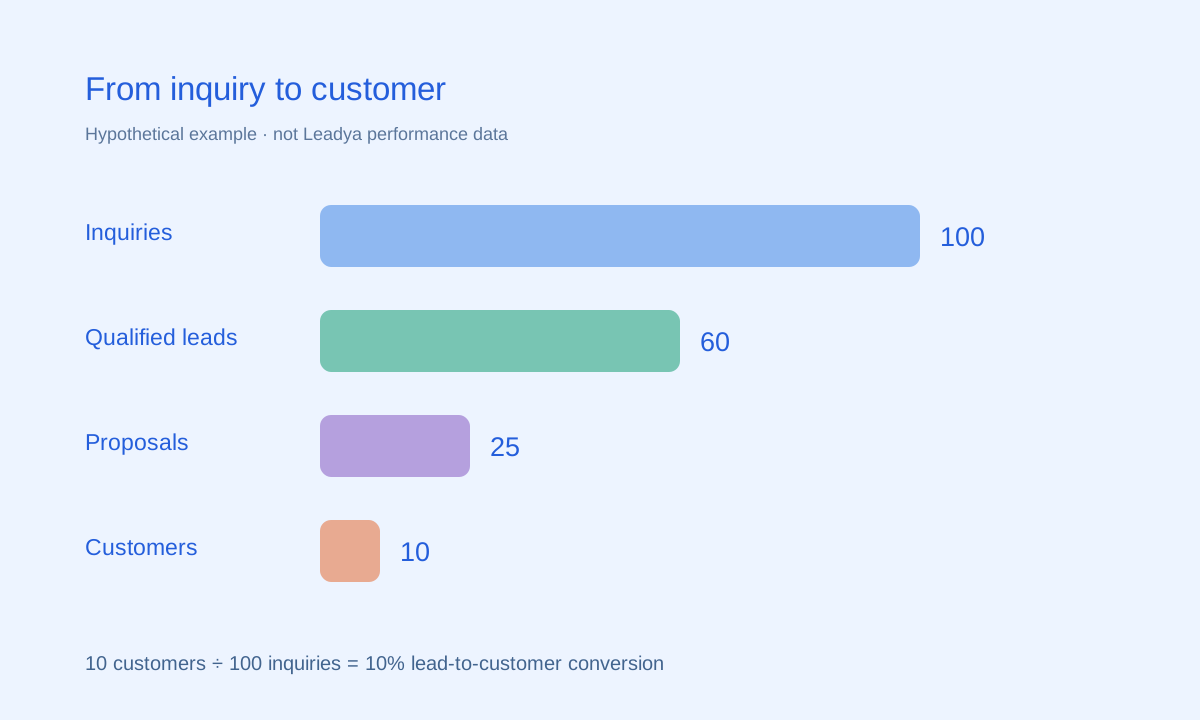
Use lead conversion reporting to put the workflow in context. A growing inquiry count with few qualified conversations may indicate a mismatch in traffic or form expectations. A healthy qualification rate with stalled proposals may point to a different issue.
Respect the visitor’s preferences and the purpose for which they contacted you. Stop outreach when it is no longer appropriate, and use the relevant business policies for marketing permissions. A sales follow-up workflow should help the person take a useful next step.
Common questions
How quickly should I reply to Wix leads?
Choose a response target your team can meet and make ownership clear. The right target depends on your business hours, service and staffing. Do not publish a guaranteed time unless you can consistently deliver it.
Does a notification mean a lead has been followed up?
No. A notification confirms an event or draws attention to it. You still need to review the request, reply appropriately and record the next action or outcome.
Should every lead get the same follow-up message?
Use consistent process steps, but tailor the message to the inquiry. Refer to the service or question the visitor already described and ask only for the context needed to continue.
Sources & scope
Product descriptions refer to Leadya’s feature and setup information. Workflow recommendations and examples are editorial guidance; verify current capabilities and plan details for your own account.